> ## Documentation Index
> Fetch the complete documentation index at: https://docs.bunnyos.ai/llms.txt
> Use this file to discover all available pages before exploring further.
# bunny b1 device
> Reserve the bunny b1, a physical desk companion you can talk to, with a small refundable pre-order deposit.
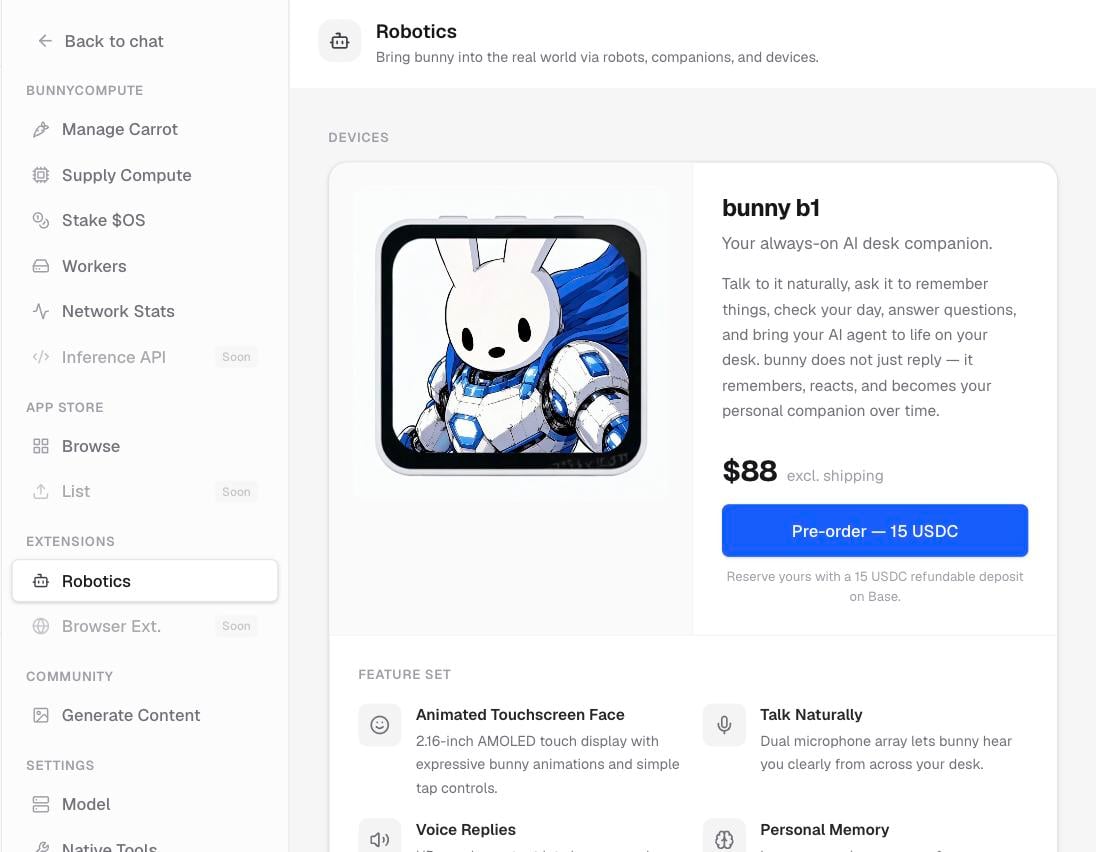
bunny b1 is a physical desk companion: a little bunny that sits on your desk and talks with you. This page explains what it is and how to reserve one. It is a pre-order for a device that ships later.
 ## What bunny b1 is
bunny b1 gives bunny a body. It has:
* A touchscreen **face** that shows expressions.
* **Microphones** so it can hear you.
* A **speaker** so it can talk back.
* **Memory**, so it remembers you over time.
In short, it is a bunny you can talk to on your desk, rather than only in the app.
## Where to find it
Open **Settings** › **Extensions** › **Robotics**. You will see a gallery of the device and a list of its features.
## Reserve one
Reserving a bunny b1 takes a small deposit, paid on Base.
Go to **Settings** › **Extensions** › **Robotics** and browse the gallery and feature list.
The pre-order is paid on Base, so connect a wallet if you have not already.
Select **Pre-order: 15 USDC** to place your reservation.
After the payment goes through, you get a confirmation with a link to the transaction.
The deposit is refundable. It holds your place for a device that ships later, and it is not a final purchase.
## Related pages
Turn a prompt into a bunny image and share it on the wall.
The big picture of bunny, the app, and the economy.
## What bunny b1 is
bunny b1 gives bunny a body. It has:
* A touchscreen **face** that shows expressions.
* **Microphones** so it can hear you.
* A **speaker** so it can talk back.
* **Memory**, so it remembers you over time.
In short, it is a bunny you can talk to on your desk, rather than only in the app.
## Where to find it
Open **Settings** › **Extensions** › **Robotics**. You will see a gallery of the device and a list of its features.
## Reserve one
Reserving a bunny b1 takes a small deposit, paid on Base.
Go to **Settings** › **Extensions** › **Robotics** and browse the gallery and feature list.
The pre-order is paid on Base, so connect a wallet if you have not already.
Select **Pre-order: 15 USDC** to place your reservation.
After the payment goes through, you get a confirmation with a link to the transaction.
The deposit is refundable. It holds your place for a device that ships later, and it is not a final purchase.
## Related pages
Turn a prompt into a bunny image and share it on the wall.
The big picture of bunny, the app, and the economy.