> ## Documentation Index
> Fetch the complete documentation index at: https://docs.bunnyos.ai/llms.txt
> Use this file to discover all available pages before exploring further.
# About bunnyApps
> Browse the App Store and run bunnyApps, the mini-apps that run on bunny's model in their own floating window.
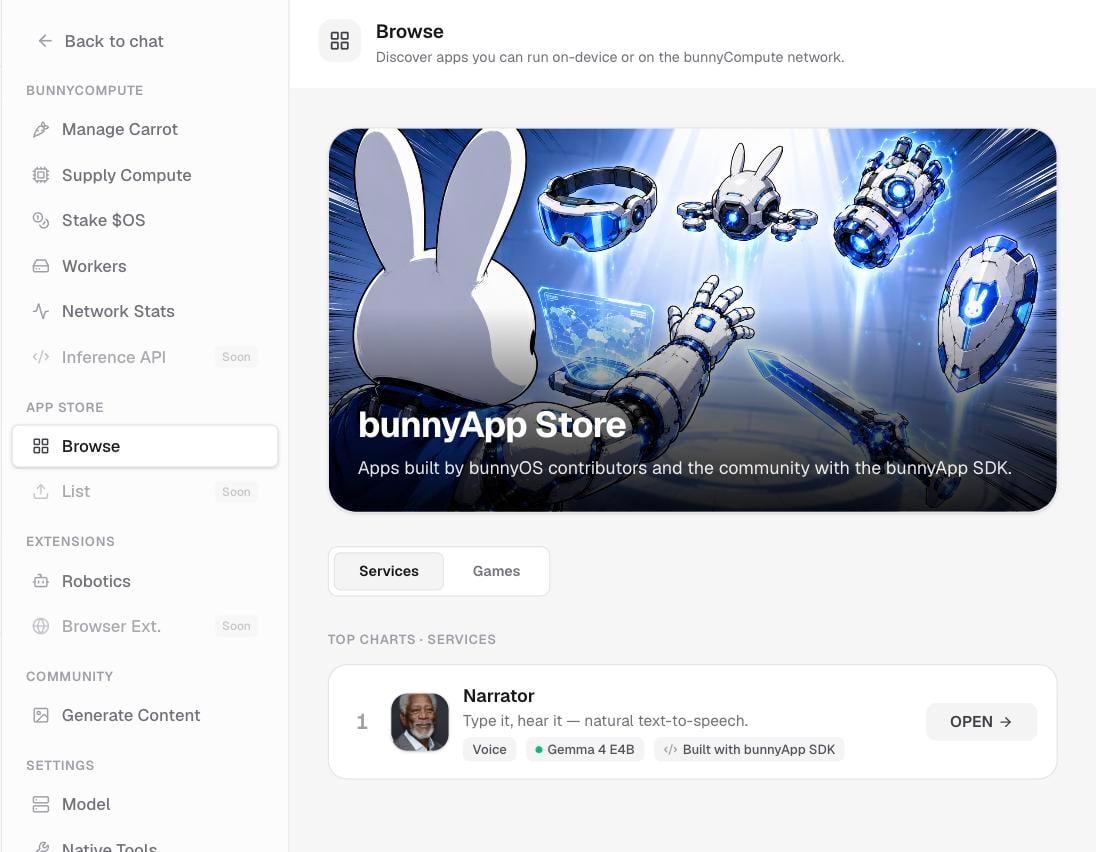
bunnyApps are mini-apps that run on bunny's model. Each one is a small, focused experience you open in its own window and use alongside your chat. You browse and launch them from the App Store.
 ## The apps you can run today
Two bunnyApps ship right now.
| App | What it does |
| ------------ | -------------------------------------------------- |
| **Narrator** | Type any text and bunny reads it aloud. |
| **Yuki** | An anime companion who chats back to you out loud. |
## Open the App Store
You reach the App Store two ways.
Click **App Store** in the sidebar, or press **Cmd/Ctrl+K**.
You can also open the App Store from **Settings**.
Switch between the **Services** and **Games** tabs, or use **Top Charts** to see what's popular. Click **OPEN** on any app to launch it.
## Use an app while you chat
An app opens in a floating, phone-shaped window. Drag it aside and your conversation stays right there, so you can keep chatting while the app is open.
Each app window has its own toggle to run the app on your device or on Compute. Running on Compute spends Carrots, just like cloud chat does. See [Where bunny runs](/user/chat/on-device-vs-cloud) to understand the trade-off, and [Your Carrots](/user/carrots/your-carrots) for your balance.
On-device apps and on-device chat share one local engine, so they take turns. If you send a chat message while an on-device app is working, your request simply waits its turn rather than failing.
On phones, an app fills the whole screen instead of opening in a floating window.
## Publishing your own app
Building and publishing your own bunnyApp is coming soon. You'll see a **List your bunnyApp: submissions open soon** option in the App Store, but you can't build or publish apps just yet.
## Related pages
Choose between running an app on your device or on Compute.
Check your balance before running an app on Compute.
Keep the conversation going while an app runs.
## The apps you can run today
Two bunnyApps ship right now.
| App | What it does |
| ------------ | -------------------------------------------------- |
| **Narrator** | Type any text and bunny reads it aloud. |
| **Yuki** | An anime companion who chats back to you out loud. |
## Open the App Store
You reach the App Store two ways.
Click **App Store** in the sidebar, or press **Cmd/Ctrl+K**.
You can also open the App Store from **Settings**.
Switch between the **Services** and **Games** tabs, or use **Top Charts** to see what's popular. Click **OPEN** on any app to launch it.
## Use an app while you chat
An app opens in a floating, phone-shaped window. Drag it aside and your conversation stays right there, so you can keep chatting while the app is open.
Each app window has its own toggle to run the app on your device or on Compute. Running on Compute spends Carrots, just like cloud chat does. See [Where bunny runs](/user/chat/on-device-vs-cloud) to understand the trade-off, and [Your Carrots](/user/carrots/your-carrots) for your balance.
On-device apps and on-device chat share one local engine, so they take turns. If you send a chat message while an on-device app is working, your request simply waits its turn rather than failing.
On phones, an app fills the whole screen instead of opening in a floating window.
## Publishing your own app
Building and publishing your own bunnyApp is coming soon. You'll see a **List your bunnyApp: submissions open soon** option in the App Store, but you can't build or publish apps just yet.
## Related pages
Choose between running an app on your device or on Compute.
Check your balance before running an app on Compute.
Keep the conversation going while an app runs.